10/28/2009
Timeline Video - The Evolution of Google
A (very) quick look back at the Google story over the last 11 years. From Stanford to Mountain View and around the world, featuring many different products, starting with BackRub (Search) up to Google Wave, StreetView and Chrome.


7/12/2009
VAIO W Netbook Clone Beats Sony to the Market
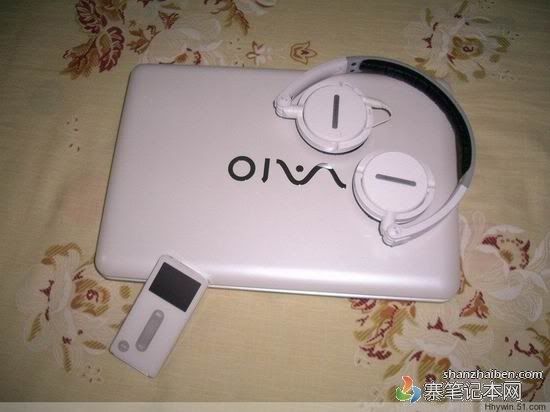
Turns out by the time Sony went official with its inaugural VAIO W netbook, it was already old news to the Chinese KIRF market. The "VAIO" pictured above apparently came out some time in mid-June and does a laudable job of honoring the actual one's chassis, although the keyboard is more traditional than Sony's isolated / chiclet stylings. Throw in a 10.2-inch LED display, 1.6GHz Atom processor, integrated graphics, a 160GB HDD, 1GB RAM, and decently convincing packaging and you'd be liable to think you went through a time warp spotting this in Shenzhen. It's got a pretty sizable head start on the legit version, but something tells us this particular model won't be trying its luck elsewhere in the world.
BlackBerry Storm 2 Specifications, 3G-equipped original en route to AT&T?
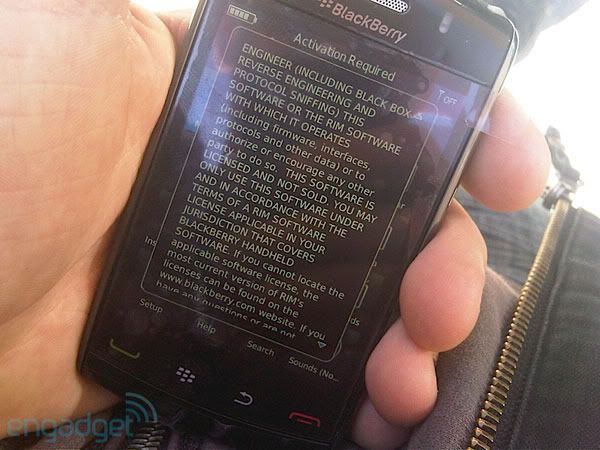
You haven't forgotten about that BlackBerry Storm 2, have you? The Boy Genius Report is claiming it's gotten device specs for RIM's touchscreen-centric maven, also reportedly called the 9550, and while not surprising (and not confirmed), according to his source the CDMA device will be sporting 802.11b/g (which we already sort of knew), a 3.2 megapixel camera, 360 x 480 capacitive touchscreen, and BlackBerry OS 5.0. If that's not enough, the site's also saying a GSM version of the original, with 3G in tow, does exist as the 9520 and is possibly on track for release soon on AT&T and Rogers. All nice fodder for dreams, but we're not getting our hopes up until something more official rears its SurePress-laden head.